If you can't answer,it speaks up.
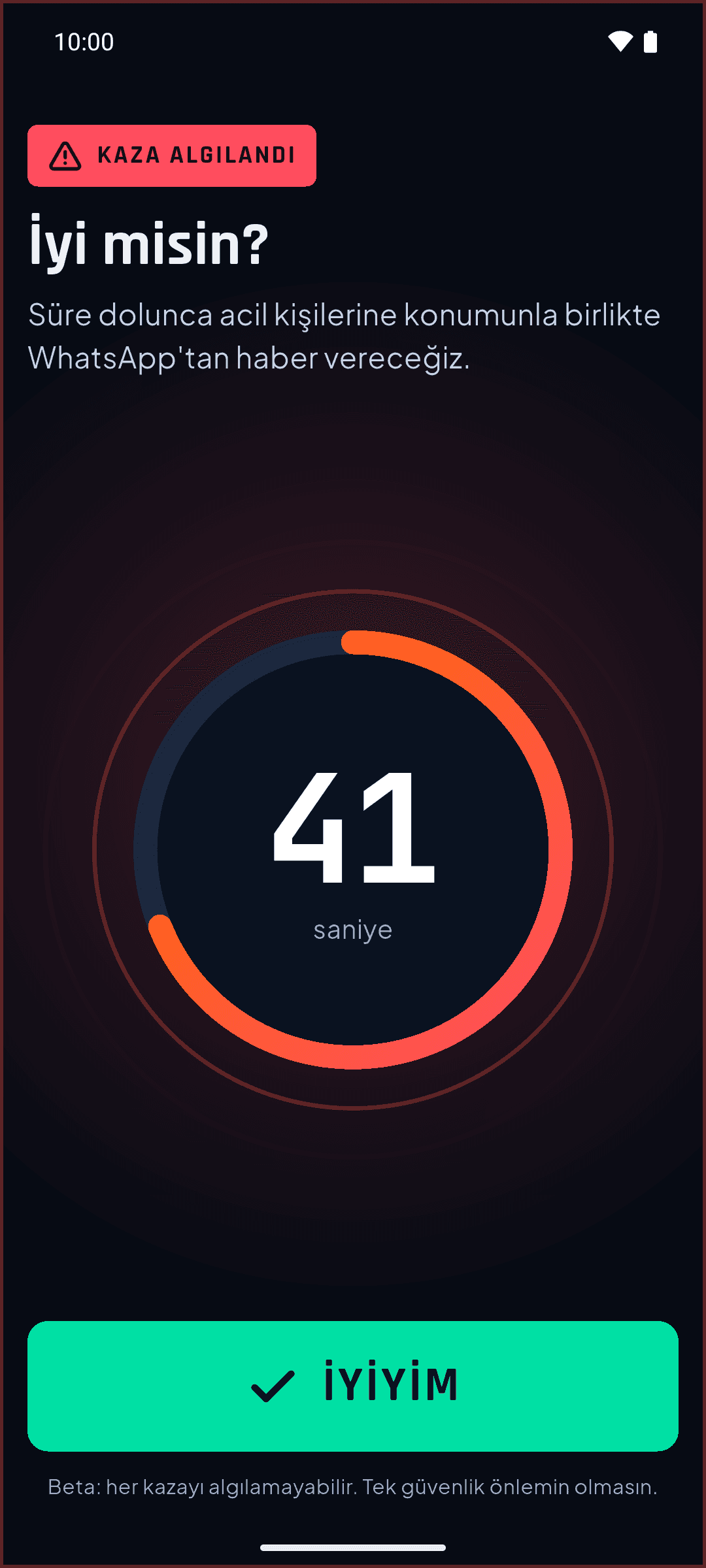
With the phone on the handlebar it watches for a possible fall throughout the ride. If you don't tap “I'm OK” within 60 seconds, it messages your emergency contacts on WhatsApp with your name and last location.


- Phone on the handlebar
- 60-second countdown
- Alert on WhatsApp
How it works
Four steps. You do the first one once; the rest runs on every ride.
- 01
Add a contact
Up to three people. Each confirms once; nobody who hasn't confirmed gets a message.
- 02
Mount it, ride
When you start a ride, say your phone is on the handlebar. The app only watches for a possible fall then.
- 03
Say “I'm OK”
A 60-second countdown starts on screen. Tap “I'm OK” and nobody is messaged.
- 04
The alert goes out
If there's no answer, your emergency contacts get a WhatsApp message with your location.
What your contact receives
The message carries your name and a map link to your last location. Your contact doesn't need Ridebase GO; WhatsApp is enough.
- 1Add your emergency contactsUp to three people, from Profile › Settings › Crash detection.
- 2Wait for them to acceptEach gets a WhatsApp invite. They get nothing until they reply ACCEPT, and can leave by replying STOP.
- 3Try it once“Test an emergency” sends a test message without your location.
- 4Mount it when you rideWhen a ride starts, answer “Where's your phone?” with On the handlebar.
Ridebase detected a possible crash for Mücahit. Last location: maps.google.com/… Try to reach them; if it's an emergency, call 112. You're receiving this because they added you as an emergency contact.
What it doesn't do
Crash detection is in beta. With a safety feature, knowing the limits matters as much as the feature.
The phone must be on the handlebar
It doesn't work in a pocket, a bag or your hand. If you didn't choose On the handlebar when the ride started, the event stays silent.
It may not detect every crash
It doesn't replace your helmet, your gear or your attention. Don't make it your only safety measure.
It doesn't call 112 itself
There's a button on screen to call 112. The message to your contact also tells them to call 112 in an emergency.
It needs a connection
A possible crash is reported to our server, which sends the message. Where your phone has no signal, the alert may not go out.
Common questions
The rest of Ridebase GO →- Does it work with the phone in my pocket?
- No. Crash detection only works with the phone on the handlebar. When a ride starts, answer “Where's your phone?” with On the handlebar; in a pocket, a bag or your hand the event stays silent.
- What happens on a false alarm?
- A 60-second countdown starts on screen. Tap “I'm OK” in that time and nobody is messaged.
- Does my emergency contact need Ridebase GO?
- No, WhatsApp is enough. The person you add gets a WhatsApp invite. They receive nothing until they reply ACCEPT, and can leave any time by replying STOP.
- How many emergency contacts can I add?
- Up to three, from Profile › Settings › Crash detection.
- Does it call 112?
- No, not by itself. There's a button on screen to call 112. The message to your contact also tells them to call 112 in an emergency.
- Does it work without a connection?
- No. A possible crash is reported to our server and the server sends the WhatsApp message. Where your phone has no signal, the alert may not go out.
- Does it cost anything?
- It's free during the beta. It's in both the Android and iPhone versions of Ridebase GO.
Have it with you on your next ride.
Ridebase GO is in open beta. Download it, start the engine and let it record the rest.

This software is an official R&D project developed within Karabük University Technopark, supervised under Law No. 4691 on Technology Development Zones, in compliance with Turkish Ministry of Industry and Technology regulations.